
Blogs
Is the Dell Latitude 5430 Good for Students and Professionals?


Choosing the right laptop for school or work can be challenging, especially when you want reliable performance without spending too much money. The Dell Latitude 5430 is one of the business-class laptops worth considering in 2026, particularly for students and professionals looking for a capable USA pre-owned laptop in Kenya.
Powered by a 12th Generation Intel Core i5-1235U processor, the Dell Latitude 5430 features 16GB DDR4 RAM, a 512GB NVMe SSD, and a 14-inch Full HD display. It also runs Windows 11 Pro and offers practical features such as a backlit keyboard, Thunderbolt 4 connectivity, and Intel Iris Xe Graphics.
These specifications make it an appealing choice for university assignments, office productivity, online meetings, and everyday multitasking. However, not every laptop suits every user, and understanding its capabilities is essential before purchasing. So, is the Dell Latitude 5430 actually good for students and professionals? Let’s look at what it offers and whether it’s worth your money.
What Makes the Dell Latitude 5430 Special?
The Dell Latitude 5430 belongs to Dell’s business-oriented Latitude series, which focuses on productivity and professional computing. Unlike laptops that primarily target entertainment or gaming, the Latitude range is designed around the needs of office users, businesses, and people who require practical computing features.
One of the biggest advantages of this particular configuration is its balance between processor performance and memory. The 12th Generation Intel Core i5-1235U provides useful processing power for everyday applications, while 16GB DDR4 RAM supports multitasking. This combination is particularly valuable for students and professionals who frequently switch between documents, browsers, and communication tools.
Another appealing feature is its compact 14-inch Full HD display. It provides enough screen space for common productivity tasks while remaining a practical size for people who move between classrooms, offices, and other working environments.
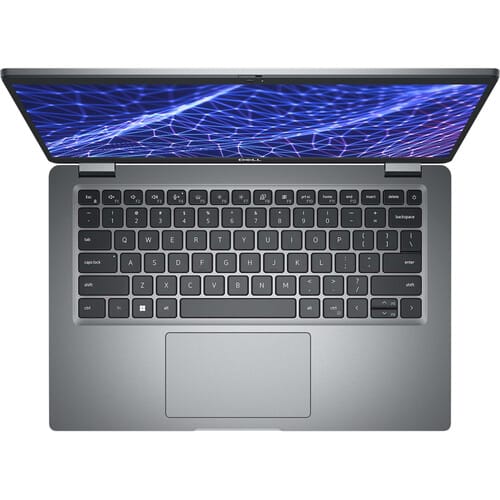
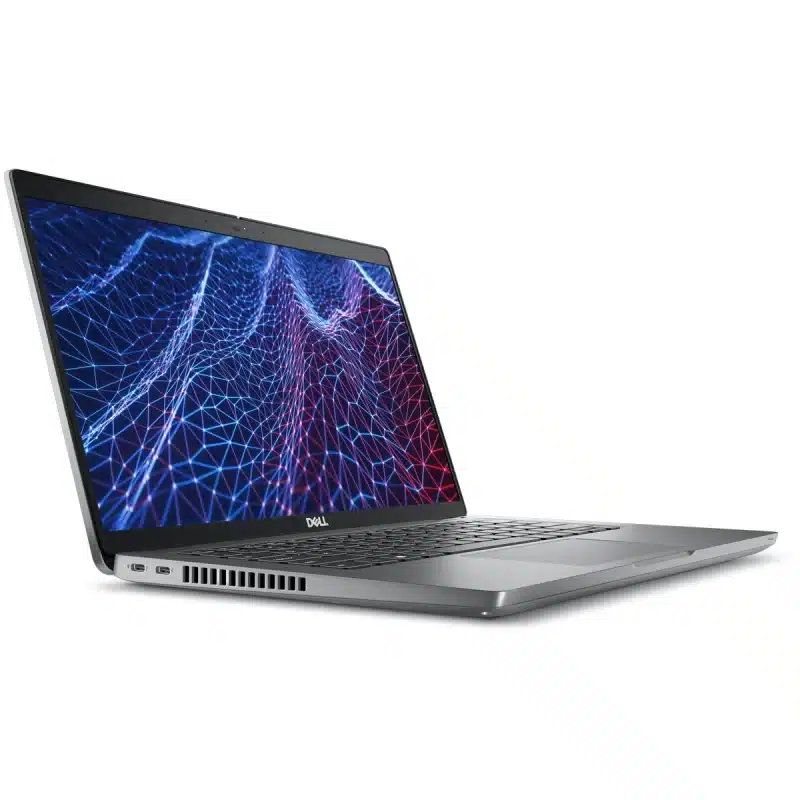
The laptop also includes Thunderbolt 4 USB-C ports, HDMI, Ethernet, and a backlit keyboard. These features make the Dell Latitude 5430 a versatile option for users who need more than basic laptop functionality.
12th Generation Intel Core i5 for Everyday Performance
The Dell Latitude 5430 features an Intel Core i5-1235U processor, part of Intel’s 12th Generation family. With processing speeds reaching up to 4.4GHz under suitable conditions, it offers a practical balance between everyday performance and power efficiency.
For students, this processor can handle common academic activities such as researching assignments, preparing presentations, using learning platforms, and attending online classes. It also provides useful processing capability for programming assignments and other educational software, depending on the application’s requirements.
Professionals can use the laptop for spreadsheets, reports, email, virtual meetings, and web-based business applications. Although it isn’t intended to replace a specialized workstation, the Core i5-1235U remains capable of supporting many common productivity workloads in 2026.
16GB DDR4 RAM Makes Multitasking Easier
One of the Dell Latitude 5430’s strongest selling points is its 16GB DDR4 RAM running at 3200MHz. Having sufficient memory is important because it allows a laptop to keep multiple applications and their working data readily accessible.
For example, a university student might have several research tabs open while working on an assignment and communicating with classmates. Similarly, an office professional may need Excel, Word, email, and several browser-based applications running throughout the day.
With 16GB RAM, the laptop provides a comfortable amount of memory for many of these activities. However, particularly demanding applications, extensive virtualization, and large professional projects may still require additional resources.
512GB NVMe SSD for Faster File Access
Storage affects how responsive a laptop feels during normal operation. The Dell Latitude 5430 comes with a 512GB NVMe SSD, which generally offers faster access to stored data than a traditional mechanical hard drive.
This can improve operating system startup times, application loading, and file access. For students and professionals who frequently open documents, launch software, or move between projects, this helps make everyday computing more convenient.
The listed usable storage is approximately 478GB, reflecting the difference between advertised storage capacity and how operating systems measure available drive space. The actual free space will be lower once Windows, installed applications, and other files are taken into account.
For many users, this capacity is sufficient for academic documents, office files, software, and personal data. Those working with extensive media libraries or large project files may need additional storage.
14-Inch Full HD Display for Comfortable Viewing
The laptop features a 14-inch Full HD display with a resolution of 1920 × 1080 pixels. This offers a practical balance between screen space and portability, making it suitable for people who frequently work from different locations.
Full HD resolution provides clear text and detailed visuals for everyday activities such as reading documents, reviewing spreadsheets, preparing presentations, and watching educational content. The 14-inch screen also provides enough room for many productivity applications without requiring a larger laptop.
For students moving between lectures and study areas, the compact display size can be convenient. Professionals who regularly attend meetings or work from multiple locations may appreciate the same benefit.
Intel Iris Xe Graphics for Everyday Visual Tasks
The Dell Latitude 5430 includes Intel Iris Xe Graphics, an integrated graphics solution intended for general computing and visual workloads. It can support common activities such as video playback, presentations, browser-based applications, and basic image editing.
For students, this may be sufficient for coursework that involves ordinary graphics and multimedia tasks. Professionals can also use it for typical office applications and less demanding visual work.
However, Intel Iris Xe Graphics should not be confused with a dedicated high-performance graphics card. Users who regularly perform intensive 3D rendering, advanced video production, or demanding gaming may need a laptop with stronger graphics capabilities.
Windows 11 Pro for Modern Productivity
The Dell Latitude 5430 runs Windows 11 Pro, providing access to a broad range of commonly used desktop applications and business-oriented operating system features.
For students, this means compatibility with many educational and productivity applications. Office professionals may also benefit from Windows 11 Pro features such as supported device encryption and business management capabilities.
As with any pre-owned laptop, buyers should confirm that Windows is correctly activated and receives current updates. This is particularly important for people using their laptops to access work accounts or store important documents.
The Hidden Benefits of the Dell Latitude 5430
Beyond its processor, RAM, and storage specifications, the Dell Latitude 5430 offers several useful features that can improve the experience of studying or working.
1. A Backlit Keyboard Is Useful for Late-Night Work
Students often find themselves completing assignments or revising notes late in the evening. Similarly, professionals may need to finish reports or respond to emails in environments with limited lighting.
The Dell Latitude 5430 features a backlit keyboard, making it easier to identify keys when the surrounding area is dim. Although this feature doesn’t directly improve processing performance, it adds convenience during everyday typing.
For users who regularly work in different lighting conditions, a backlit keyboard is a practical feature worth having.
2. Thunderbolt 4 Makes It Easier to Connect Accessories
The Dell Latitude 5430 comes with two Thunderbolt 4 USB-C ports, providing versatile connectivity for compatible devices and accessories. Thunderbolt 4 supports high-speed data transfers and can be useful when connecting supported external displays and docking equipment.
For example, an office worker may prefer using an external monitor and additional accessories at their desk. A compatible Thunderbolt docking setup can simplify these connections, depending on the equipment being used.
Students may also benefit from the USB-C connectivity when working with supported external storage devices or displays.
3. The 14-Inch Design Fits Different Working Environments
Not everyone needs a large laptop. For people who regularly move between locations, a compact screen size can make a device more convenient to use.
The Dell Latitude 5430’s 14-inch display offers a practical compromise between viewing space and portability. It can fit comfortably into many classroom, office, library, and home-working setups.
Actual portability also depends on the laptop’s weight and battery condition. Nevertheless, the 14-inch format is appealing to users who prefer a smaller notebook over a larger workstation-style laptop.
4. Multiple Ports Reduce the Need for Extra Adapters
Having the right connections available can make a significant difference during work or study. The Dell Latitude 5430 includes USB-A, Thunderbolt 4 USB-C, HDMI, RJ-45 Ethernet, microSD, and a 3.5mm audio connection.
These options allow users to connect a variety of compatible accessories. For example, HDMI can be useful when connecting to a projector or external monitor, while Ethernet provides an option for wired internet access.
This variety can reduce the need to purchase or carry additional adapters for common accessories.
5. The Integrated Webcam Supports Online Communication
Online classes, virtual interviews, and remote meetings have become routine activities for many students and professionals.
The Dell Latitude 5430 includes an integrated webcam, allowing users to participate in supported video conferencing applications without necessarily requiring an external camera.
While the supplied specifications don’t establish its exact resolution or image quality, having an integrated webcam is a practical convenience for everyday communication.
6. Fingerprint Authentication May Be Available
Some Dell Latitude 5430 configurations support a fingerprint reader, providing an alternative way to sign in through compatible authentication features.
However, fingerprint functionality is configuration-dependent and should not be assumed to be present on every unit. If this feature matters to you, ask the seller to confirm and demonstrate it before purchasing.
When available and correctly configured, fingerprint authentication can make signing in more convenient.
Is the Dell Latitude 5430 Good for Students?
For many university and college students in Kenya, the Dell Latitude 5430 is a practical laptop worth considering. Its combination of a 12th Generation Core i5 processor, 16GB RAM, and 512GB SSD provides useful computing resources for coursework, research, and academic productivity.
Students regularly switch between documents, browser tabs, presentations, and online learning platforms. The Latitude 5430 has a suitable configuration for many of these activities, while its compact 14-inch display makes it convenient for use in classrooms, libraries, and study spaces.
University Assignments and Research
Whether you’re preparing a research paper, creating a presentation, or working on a group assignment, the Dell Latitude 5430 can support common productivity applications.
The 16GB RAM is especially useful when you need several applications open at once. For example, you can research information online while keeping your document editor and communication platform active.
Programming and IT Courses
Students studying computer science, information technology, or software development may also find the Dell Latitude 5430 useful.
The Core i5-1235U processor and 16GB RAM can support many common programming environments, code editors, and smaller software development projects. However, complex virtual machines, large software builds, and specialized development tools may require more resources.
Before purchasing, students should confirm the requirements of the software used in their courses.
Online Classes and Digital Learning
With Windows 11 Pro, Wi-Fi connectivity, and an integrated webcam, the Latitude 5430 offers the basic hardware features needed for many online learning activities.
Students can access learning platforms, attend virtual lessons, review digital study materials, and complete online assessments using compatible software.
The Full HD display also provides a clear viewing experience when reading course materials or watching educational content.
Is the Dell Latitude 5430 Good for Professionals?
The Dell Latitude 5430 is also a sensible choice for many office workers, freelancers, and business professionals. Its specifications are well suited to common productivity workloads, especially those involving documents, spreadsheets, communication platforms, and web-based applications.
Office and Administrative Work
For professionals working with Microsoft Office applications, emails, business records, and online platforms, the Latitude 5430 provides useful processing power and memory.
The 16GB RAM makes it easier to move between multiple programs, while the SSD helps keep commonly used files and applications responsive.
Its 14-inch display also offers a convenient format for professionals who regularly move between desks, meetings, or working locations.
Business Owners and Entrepreneurs
Small business owners often need laptops for invoicing, stock management, spreadsheets, customer communication, and general administration.
The Dell Latitude 5430 can support many of these activities, provided the relevant software is compatible. Its Ethernet port, HDMI connection, and range of USB ports may also be useful for connecting compatible business equipment.
For entrepreneurs looking for a USA pre-owned laptop, it offers a practical combination of productivity features.
Freelancers and Remote Workers
Freelancers frequently switch between communication tools, project documents, online platforms, and client-related tasks.
The Dell Latitude 5430 provides a capable foundation for many of these workflows. Its integrated webcam, wireless connectivity, and compact display size also make it convenient for people working from different locations.
However, professionals who rely on advanced video editing, complex graphic design projects, or other resource-intensive applications should compare its hardware with their software requirements.
What to Check Before Buying a Dell Latitude 5430 EX-USA Laptop
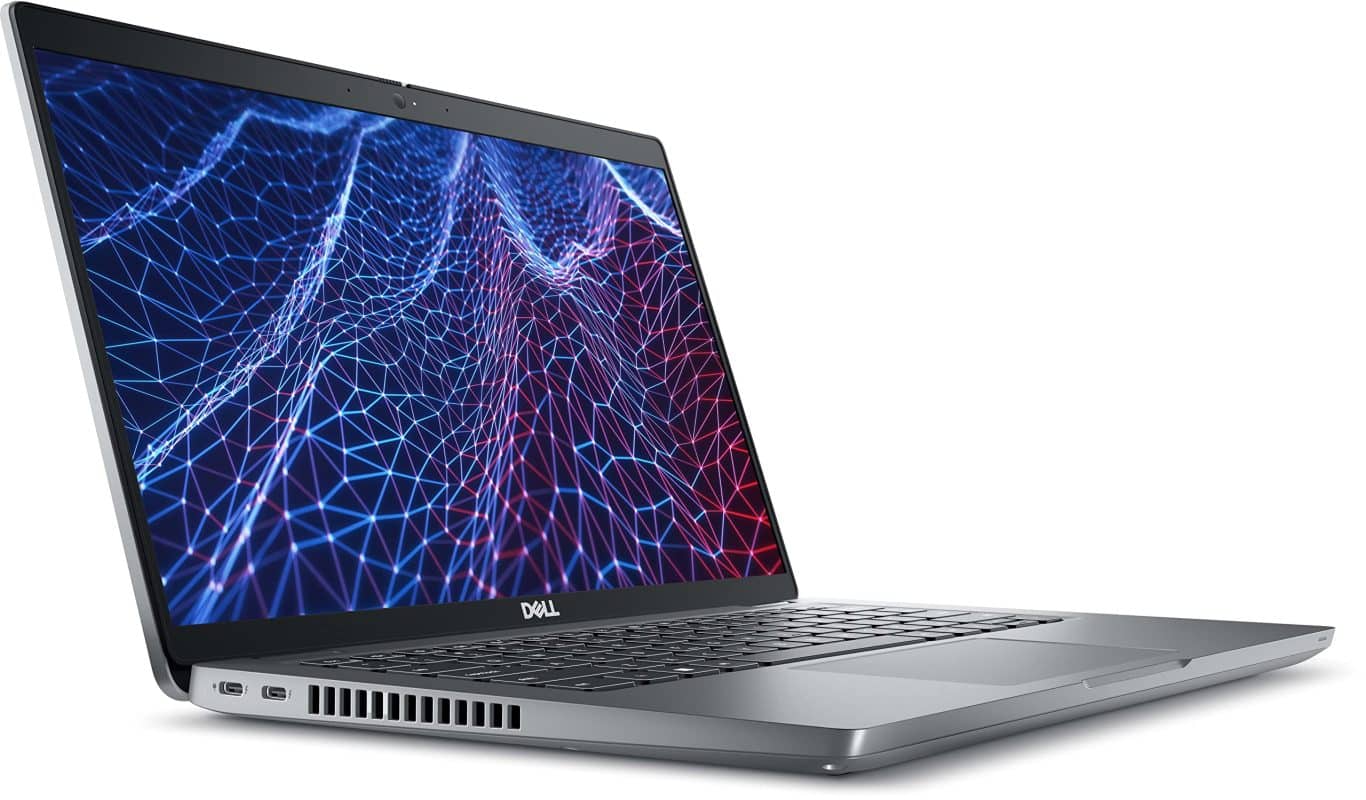
Purchasing a USA pre-owned laptop can be a cost-effective decision, but its actual value depends on the condition of the particular device. Even laptops with identical specifications may have different battery health, physical wear, or previous usage histories.
Before purchasing the Dell Latitude 5430, consider the following checks.
1. Inspect the Battery Health
A laptop’s battery naturally loses some capacity over time. Because the Dell Latitude 5430 is being offered as a USA pre-owned device, checking battery health should be a priority.
Ask the seller for a battery health report where possible and test the laptop while disconnected from power. If you plan to use it during lectures, meetings, or travel, battery condition is especially important.
2. Verify the Processor, RAM, and SSD
Confirm that the laptop has the Intel Core i5-1235U processor, 16GB DDR4 RAM, and 512GB NVMe SSD advertised.
You can request a demonstration of the system specifications through Windows. It’s also useful to check the SSD’s health and available free space, particularly if the device has been used extensively.
3. Examine the Full HD Display
Inspect the screen for cracks, dead pixels, discoloration, flickering, or unusual brightness differences.
You should also check that the display hinges move correctly and hold the screen securely. These are important considerations for a laptop that may have experienced regular use.
4. Test the Keyboard, Webcam, and Wireless Connectivity
Check that every keyboard key responds correctly and that the backlight works. You should also test the integrated webcam using a suitable application.
Additionally, confirm that Wi-Fi and Bluetooth connections function properly. These features are important for students and professionals who frequently rely on online services and wireless accessories.
5. Check the Ports and Charging
Test the USB-A ports, Thunderbolt 4 USB-C connections, HDMI output, and other available ports using compatible equipment where practical.
Confirm that the laptop charges correctly and ask whether a suitable charger is included. If you plan to use external monitors or docking equipment, verify compatibility before purchasing.
6. Confirm the Fingerprint Reader
The supplied specifications indicate that fingerprint functionality depends on the laptop’s configuration.
If you specifically want fingerprint authentication, confirm that the unit you intend to purchase has the necessary hardware and that it works correctly.
7. Ask About the Warranty and Return Terms
Before completing your purchase, ask about any available warranty, its duration, and the parts or problems it covers.
You should also confirm the seller’s return or exchange terms. These details help you understand the level of support available if an issue develops after purchasing.
Why Choose Ryan and Troy Store?
Finding the right laptop is about more than choosing a familiar brand or processor generation. It’s important to understand the specifications, inspect the device’s condition, and select a laptop that fits your daily computing needs.
If you’re looking for a Dell Latitude 5430 in Kenya, Ryan and Troy Store is a place to enquire about the model and explore available purchasing options. Before making a decision, confirm current stock availability, pricing, battery health, physical condition, and included accessories.
You can also ask about the installed Windows version, fingerprint reader availability, and any applicable warranty or after-sales terms. Having these details makes it easier to compare the laptop with other options and determine whether it offers good value.
Interested in the Dell Latitude 5430 Core i5? Contact Ryan and Troy Store to check current pricing, availability, and purchasing options.
Is the Dell Latitude 5430 Worth Buying for Students and Professionals?
The Dell Latitude 5430 is still a worthwhile laptop to consider in 2026, particularly for students and professionals who want reliable everyday computing performance without necessarily investing in a brand-new machine.
Its 12th Generation Intel Core i5-1235U processor, 16GB DDR4 RAM, and 512GB NVMe SSD provide a practical combination for studying, office productivity, programming assignments, business applications, and everyday multitasking. The 14-inch Full HD display, backlit keyboard, and Thunderbolt 4 connectivity add further convenience.
For university students, the laptop offers useful capabilities for research, assignments, online classes, and many educational applications. Professionals can also benefit from its memory capacity, connectivity options, and Windows 11 Pro operating system.
However, buyers should remember that this particular configuration is USA pre-owned. Battery health, physical condition, the seller’s warranty terms, and the asking price will all influence whether it’s a smart purchase.
So, is the Dell Latitude 5430 good for students and professionals? For many everyday academic and professional workloads, the answer is yes. It offers balanced hardware specifications and useful productivity features, provided the device is in good condition and meets your software requirements.
Interested in owning the Dell Latitude 5430?
You can also explore the Dell Latitude 5430 for more information